

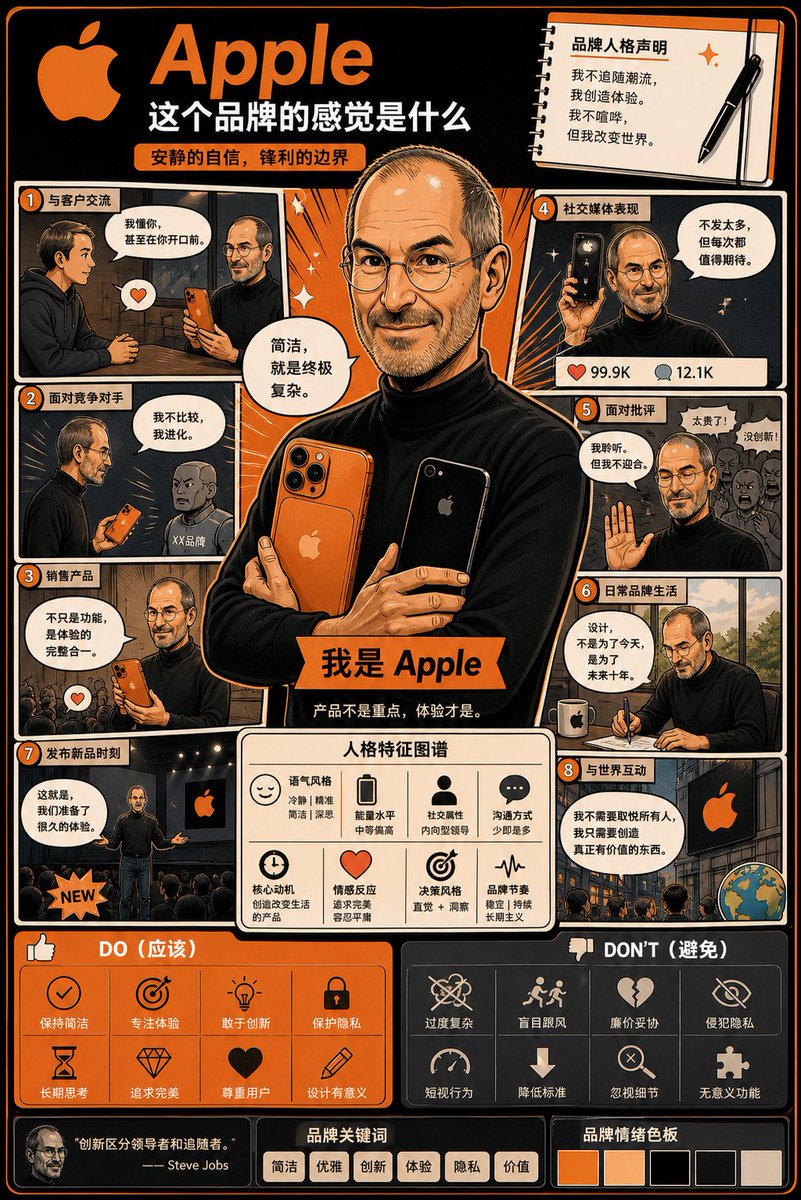
Using the uploaded logo, create a highly detailed manga-style infographic poster:

Title: "What This Brand Feels Like"
Goal: Transform the brand into a "living individual" and visually demonstrate how it acts, speaks, and interacts with the world.
Fusion: Brand Strategy + Character Design + Manga Storytelling

Core Rule: All content must derive from the logo itself (colors, style, tone, personality). No generic personality descriptions.

Structure: [layout], information-dense multi-panel layout, [style].

Main Character: Create a core character representing the brand's personification. Clothing, posture, and expression must reflect the brand identity.
Panels: 6–8 manga panels showing behaviors in scenarios like customer interaction, handling competition, or social media presence.
Traits: Modular sections showing tone style, energy level, and communication methods using icons.
Do/Don't: Visual guide on brand-consistent vs inconsistent behaviors.
Final Feel: Should look like a personified brand strategy board worth collecting, not flat or generic.



0 Comments
👥 Co-learning Circle 0
Observe other members' variables & configurations, and click "Study & Retry" to instantly import settings and practice!